
Webflow and Weblab are both visual tools for building websites, but they serve fundamentally different audiences with fundamentally different workflows. If you are trying to choose between them, the answer comes down to one question: do you have a React codebase?
What Webflow Is Built For
Webflow is a no-code visual website builder designed for designers and agencies who want to produce polished websites without writing code. You design in Webflow's canvas, Webflow generates its own HTML and CSS, and your site lives on Webflow's hosting. For marketing sites, landing pages, and content-heavy projects where the team does not have an engineering culture, Webflow is excellent.
Webflow's Strengths
- Powerful visual canvas with flexbox and CSS grid controls mapped directly to real CSS
- Built-in CMS for content-driven sites (up to 10,000 items)
- Scroll animations, hover effects, and interactions without JavaScript
- Built-in hosting with fast CDN
- Large template marketplace and agency ecosystem
Webflow's Limitations for Engineering Teams
The core limitation for teams with React codebases is that Webflow cannot connect to your codebase. It generates its own HTML and CSS. If you have a React design system — with custom Button, Card, and Form components — Webflow cannot use them. Code export produces Webflow's proprietary CSS class naming conventions, not portable React.
What Weblab Is Built For
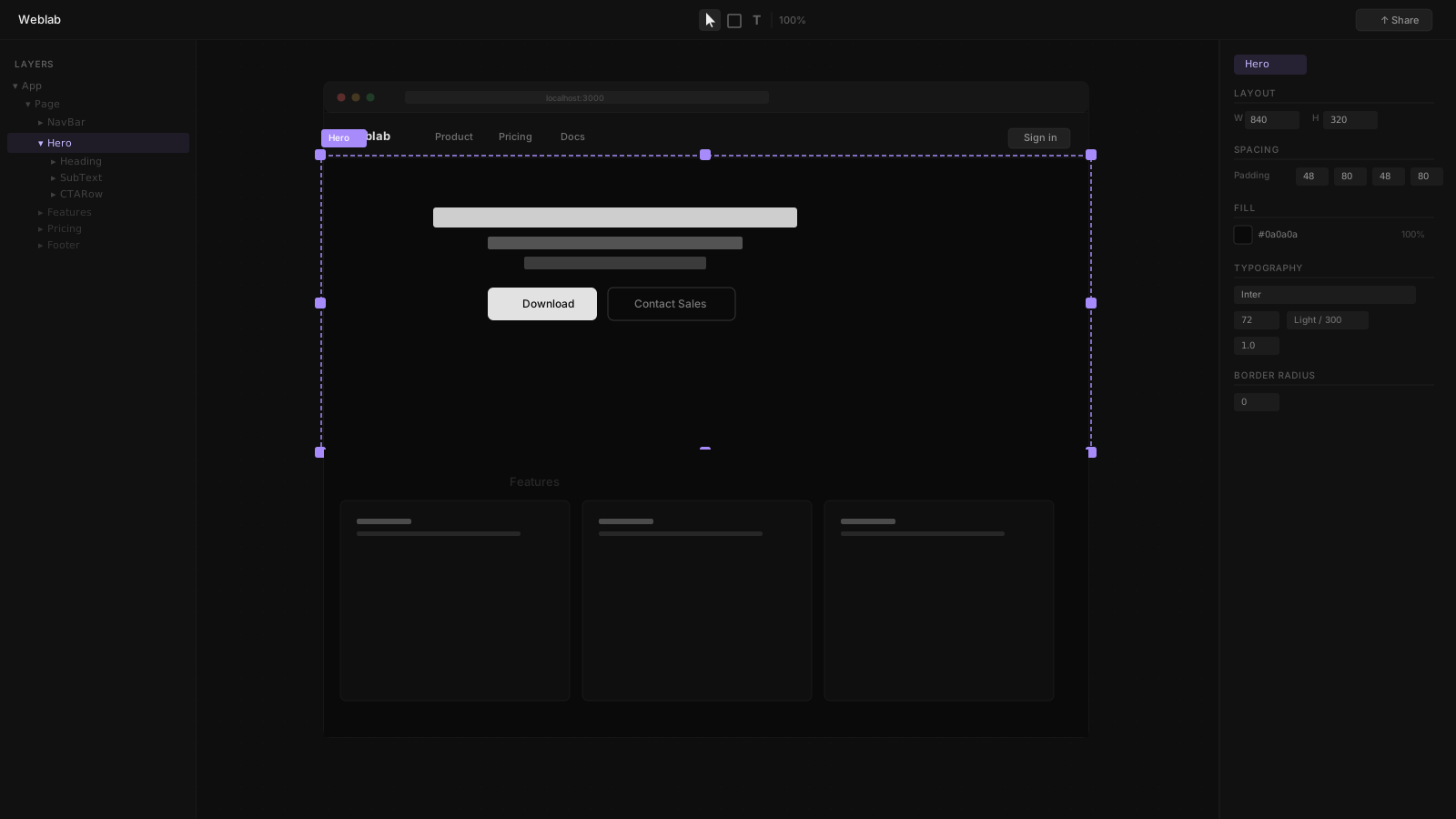
Weblab is a visual canvas editor that connects to your existing React codebase. Open your project directory, and Weblab reads your real components. Every change you make on the infinite canvas is written back to your source files as a pull request.
Weblab's Strengths
- Reads your real components — no translation from design to code
- Design system enforcement — AI is constrained to your existing tokens and components
- Pull request output — every change goes through your normal GitHub review process
- Open source — no lock-in
- Works with any deployment (Vercel, AWS, self-hosted)
Who Should Use Weblab
Weblab is for teams that already have a React or Next.js codebase and want to give designers a visual editing surface that integrates with their engineering workflow. Instead of Figma handoff → manual implementation, designers make changes on the canvas, those changes become a PR, and engineers merge it.
Side-by-Side Comparison
| Feature | Weblab | Webflow |
|---|---|---|
| Input | Your existing React codebase | Webflow's own canvas |
| Output | GitHub pull request (JSX/TSX) | Webflow-hosted site or exported HTML/CSS |
| React support | Native | None |
| Design system | Reads and enforces your tokens | Webflow's own class system |
| Code ownership | Yes — always | No — hosted on Webflow |
| Hosting | Bring your own | Webflow hosting |
| CMS | Bring your own | Built-in Webflow CMS |
| Open source | Yes | No |
| Pricing | Free to open source | From $23/month per site |
The Decision Framework
Choose Webflow if:
- You are building a marketing site, landing page, or content site from scratch
- Your team is non-technical and wants a drag-and-drop experience
- You want built-in CMS, hosting, and animations in one platform
- You are not working with a React codebase
Choose Weblab if:
- You have an existing React or Next.js codebase
- Designers and engineers collaborate on the same product
- You want visual UI changes to go through GitHub PR review
- Your design system must be respected — no AI drift
- You deploy to your own infrastructure
The Underlying Philosophy
Webflow replaces code with a visual system. Weblab makes code visually editable without replacing it. For teams that already have engineering workflows, the second approach preserves everything you have built — your CI, your code review, your design system — while giving designers a tool they can use without the terminal.
For teams that do not have engineering workflows, Webflow's approach is faster to get started and does not require a codebase at all.
Neither tool is universally better. The right choice depends entirely on where you are starting from.
Ready to try Weblab with your existing React codebase? Get started for free →