
The website builder market in 2026 is more fragmented than ever. AI has pushed every category of tool forward simultaneously — no-code builders gained generative layout features, code editors gained AI agents, and visual editors for React codebases got smarter about design system enforcement.
The right tool depends entirely on who you are and what you are starting from. This guide breaks down the best options by use case.
The Landscape in 2026
Website builders in 2026 fall into three distinct categories:
- No-code builders — Wix, Webflow, Framer, one.com, Squarespace
- AI app generators — Lovable, Bolt, Replit, Emergent, v0
- Visual editors for existing codebases — Weblab, Plasmic, Builder.io
These categories have very different user profiles. Choosing the wrong category — regardless of which specific tool you pick — will produce frustration.
Best for Small Businesses and Non-Technical Users
Wix (+ Wix Harmony)
Wix remains the most accessible website builder for non-technical users. Wix Harmony, launched in January 2026, adds an AI agent called Aria that understands natural language and executes site changes directly in the editor. Plans start from $17/month (Light, annual billing); eCommerce and booking tools require the Core plan at $29/month or above.
Best for: Small business owners, freelancers, restaurants, portfolios, events.
Webflow
Webflow is a step above Wix for designers who want more control over their CSS. The visual canvas maps directly to flexbox and CSS grid. The CMS handles up to 10,000 items. Animation tools are industry-leading. Plans from $23/month per site.
Best for: Agencies, designers, marketing teams building polished standalone sites.
one.com
one.com's appeal is price. For individuals who want a domain, professional email, and a basic website in one affordable package, one.com is a solid choice. An AI setup wizard helps generate initial sites from business information. Starting under $1/month (introductory rate).
Best for: Individuals and micro-businesses on a tight budget.
Framer
Framer has won over designers who want beautiful motion and smooth animations. AI Wireframer generates layout suggestions from prompts. The built-in CMS and CDN hosting make publishing fast. Plans from $10/month.
Best for: Designers building landing pages and marketing sites with motion.
Best for Developers and Engineering Teams
Weblab
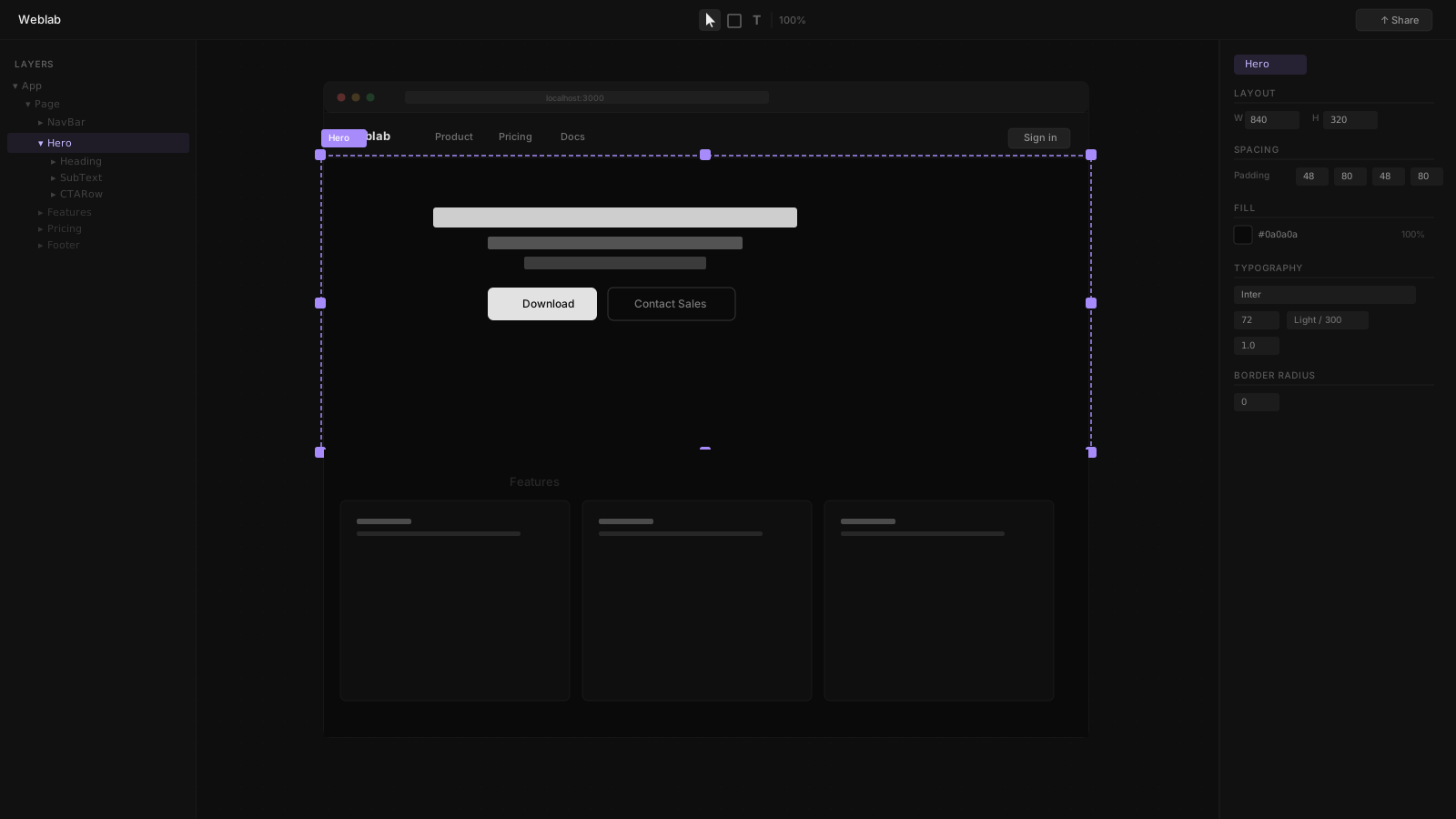
Weblab is the strongest option for teams with existing React codebases. It connects to your local project, reads your real components and design tokens, and provides an infinite visual canvas for editing. Changes are written back as GitHub pull requests. The AI is constrained to your existing design system — it cannot introduce new styles or components that your engineers have not already defined.
Best for: React / Next.js teams where designers and engineers share a codebase and want visual editing integrated into the PR workflow.
Key differentiators:
- Open source
- Reads your real components (not a simulation)
- AI cannot drift from your design system
- Output is a GitHub pull request, not a hosted artifact
- No hosting lock-in
Plasmic
Plasmic is a visual CMS for React with deep Next.js, Gatsby, and Remix integration. Marketing teams can edit in Plasmic's no-code interface while engineers control the component model. A solid choice for teams that want marketing autonomy alongside developer control.
Best for: Teams that need a visual CMS layer for content editors on a React site.
Builder.io
Builder.io is a headless visual CMS that lets content teams drag-and-drop components your engineers have registered. Works across React, Vue, Svelte, and Qwik. Better suited for large content teams than design-engineering collaboration.
Best for: Enterprise content teams managing large volumes of visual content across multiple frameworks.
Best AI App Builders (Start from Scratch)
Lovable
Lovable generates new applications from chat prompts and iterates in a conversational interface. The output is a Lovable-hosted app you can deploy or export. Best for rapid prototyping or when you do not yet have a codebase.
Bolt
Bolt by StackBlitz builds full-stack apps in the browser from natural language. Full-featured in-browser IDE with live preview. Strong for JavaScript/TypeScript full-stack work.
Replit
Replit's Agent 4 builds, deploys, and ships full-stack applications from prompts, supporting 50+ languages. Cloud IDE with no local setup. Autoscaling deployment and real-time multiplayer editing.
Emergent
Emergent's multi-agent system generates frontend, backend, database, auth, and payments from a single prompt. SOC 2 Type I certified. Emergent claims 5M+ users and $100M+ ARR run rate (as of Feb 2026). Best for non-technical founders building production applications.
v0 by Vercel
v0 generates React component snippets from text descriptions. Output is portable code you can drop into any React project. Best for engineers who want AI-generated UI components to paste into their existing codebase.
Comparison Matrix
| Tool | Best For | Code Ownership | Native Mobile | AI Type | Open Source |
|---|---|---|---|---|---|
| Weblab | React teams, design-engineering | Yes | No | Design-system-constrained | Yes |
| Webflow | Agencies, no-code sites | Limited (export) | No | Layout assist | No |
| Framer | Designers, landing pages | Limited (export) | No | Layout generation | No |
| Wix | Small businesses | No | No | Site generation (Aria) | No |
| one.com | Budget personal sites | No | No | Setup wizard | No |
| Lovable | Prototyping, net-new | Export | No | App generation | No |
| Bolt | Full-stack net-new | Yes | No | App generation | No |
| Replit | Cloud IDE, any language | Yes | No | App + code generation | No |
| Emergent | Non-technical founders | Export | Partial (web-first) | Multi-agent full-stack | No |
| v0 | Component snippets | Yes | No | Component generation | No |
How to Choose
Start here: Do you have an existing React codebase?
- Yes → Use Weblab for visual UI editing, or v0 for generating new component snippets.
- No, I want to build from scratch → Lovable, Bolt, Replit, or Emergent depending on whether you want a visual builder (Lovable, Bolt) or a code-first environment (Replit) or the most full-featured automated build (Emergent).
- No, I just need a website → Wix, Webflow, Framer, or one.com depending on how much design control you need and your budget.
The biggest mistake is using a no-code tool (Wix, Webflow) when you have a React codebase, or using a developer tool (Weblab) when you do not. Match the tool to your starting point.