
Claude Code from Anthropic is one of the most powerful AI coding tools available in 2026. It operates in your terminal, reads your entire codebase, plans changes across multiple files, runs tests, and iterates on failures. For developers who think in code, it is a significant productivity multiplier.
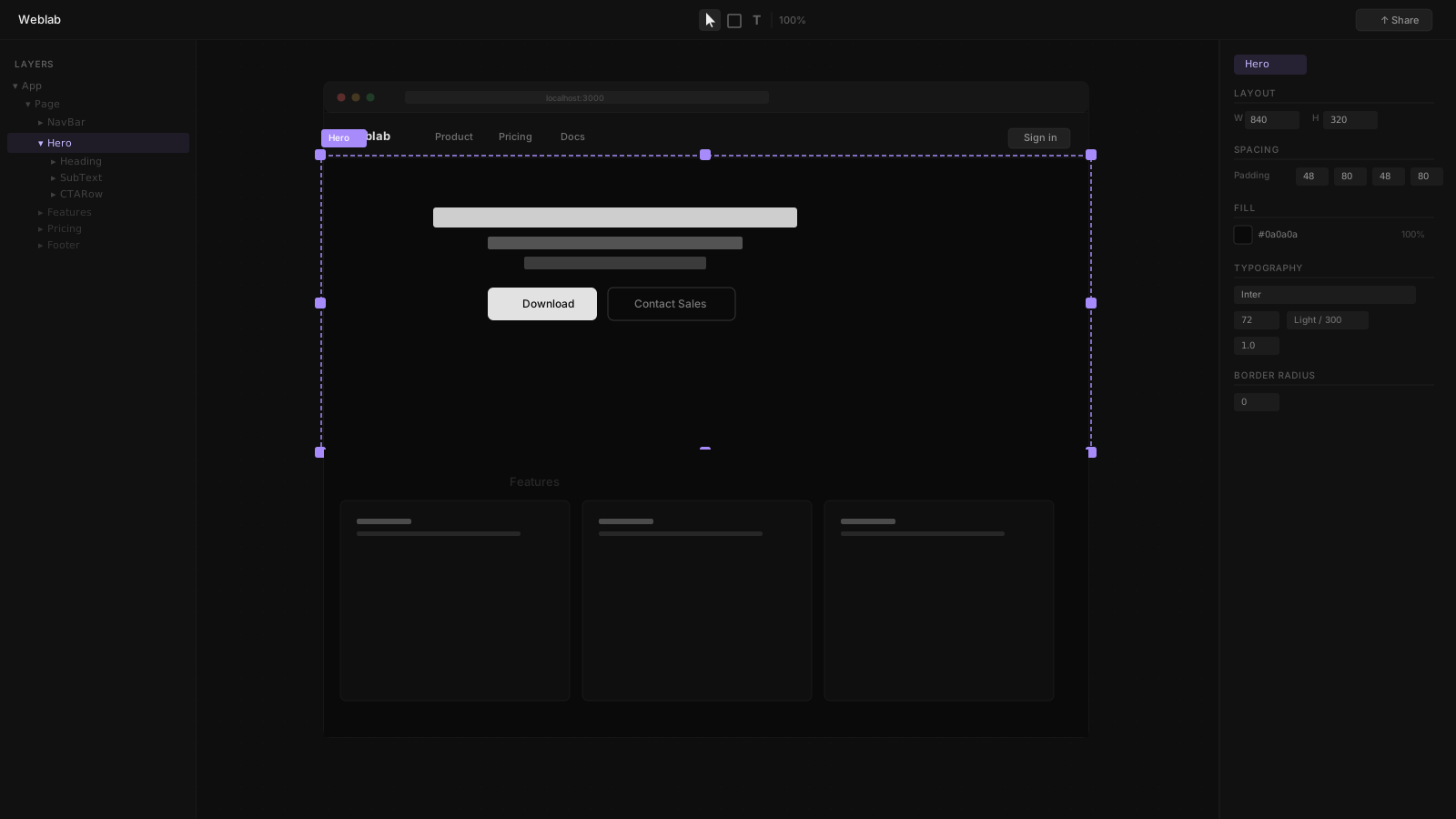
Weblab operates in a different dimension. Where Claude Code is text-first and terminal-first, Weblab is visual-first — an infinite canvas editor that lets designers (and engineers who prefer a visual interface) edit React components without opening a terminal.
The comparison is less about which tool is better and more about which job each tool is right for.
What Claude Code Does
Claude Code is Anthropic's terminal CLI for working with your codebase. It:
- Reads your full project structure and understands how modules connect
- Edits files across your codebase — not just individual files
- Runs tests and iterates on failures
- Plans multi-step refactors across many files at once
- Works with any programming language or framework
As of May 2026, Anthropic has doubled Claude Code's rate limits for Pro, Max, Team, and Enterprise plans. The VS Code extension adds inline diffs, @-mentions, and conversation history directly in the editor.
Claude Code's Strengths
- Logic, algorithms, and backend code changes
- Multi-file refactoring (rename a pattern across 50 files)
- Writing and debugging test suites
- Implementing new API endpoints or data models
- Understanding and explaining unfamiliar codebases
Claude Code's Gap for UI Work
Claude Code has no visual layer. There is no canvas, no component browser, no live preview. You describe what you want in text, Claude edits the files, and you open a browser to see the result. For visual UI work — adjusting spacing, swapping component variants, rearranging layouts — this text-only loop is slow.
Claude Code also has no built-in mechanism for design system enforcement. It reads your codebase and follows your conventions, but it can introduce new Tailwind classes, new component patterns, or new color values that do not match your design tokens. Over time, this creates drift.
What Weblab Does
Weblab is a visual canvas editor for React codebases. You open your local React project, and Weblab displays your real components on an infinite canvas. You can:
- Click any element to inspect its component hierarchy and props
- Drag components to rearrange layouts
- Adjust Tailwind classes in the style panel and see changes instantly
- Ask the AI to generate UI sections using only your existing components and tokens
- Publish changes as a GitHub pull request
Weblab's Strengths
- Visual layout work where seeing the result matters
- Design system enforcement — AI cannot invent new styles
- Designer access — contributors who do not write code can make visual changes
- Clear PR output that engineers can review and merge normally
- Component variant inspection and swapping
Weblab's Gap for Logic Work
Weblab specializes in the UI layer. It does not refactor logic, write tests, or edit backend files. For those jobs, Claude Code or another coding tool is the right choice.
Why Many Teams Use Both
The distinction becomes clear when you think about a typical product sprint:
A designer wants to update the pricing section of the marketing page — adjust the layout, use a different card variant, and change the CTA button copy. This is visual work. Weblab handles it: the designer makes changes on the canvas, and a PR is generated that the engineer reviews and merges.
An engineer wants to refactor the authentication flow, add a new API route, and update the relevant tests across four files. This is logic work. Claude Code handles it from the terminal.
The two tools do not compete. They address different members of the team and different kinds of work. Engineering teams that adopt both end up with a clear channel for visual changes (Weblab → PR) and a clear channel for code changes (Claude Code → files → PR).
Side-by-Side Comparison
| Feature | Weblab | Claude Code |
|---|---|---|
| Interface | Visual infinite canvas | Terminal CLI |
| Who uses it | Designers and engineers (visual work) | Engineers (code-first) |
| Design system | AI constrained to your tokens | No enforcement |
| Output | GitHub pull request with visual diff | Edited files in your local repo |
| Visual preview | Live — see changes as you make them | None |
| Strength | UI layout, design, styling | Logic, refactoring, tests, multi-file |
| Frameworks | React / Next.js | Any language |
| Open source | Yes | No (Anthropic proprietary) |
| Pricing | Free to open source | Included with Claude paid plans |
The Bottom Line
Claude Code is an exceptional tool for engineering work. Weblab is an exceptional tool for visual UI work. The teams that get the most from both are those that stop asking which one to use and start asking which one fits the task.