The Handoff Problem
Ask any product team about their biggest workflow bottleneck and you will hear the same answer: handoff. Designers spend hours writing specs. Developers spend hours reading them. The result is still wrong, and QA catches it.
The handoff problem is not a people problem. It is a tooling problem. The tools designers use produce static artifacts that cannot be executed. The tools developers use produce executed artifacts that cannot be visually edited. Weblab collapses this into a single surface.
A Single Source of Truth
In Weblab, the source of truth is your code. Not a Figma file. Not a Storybook. Your actual React components, in your actual repository.
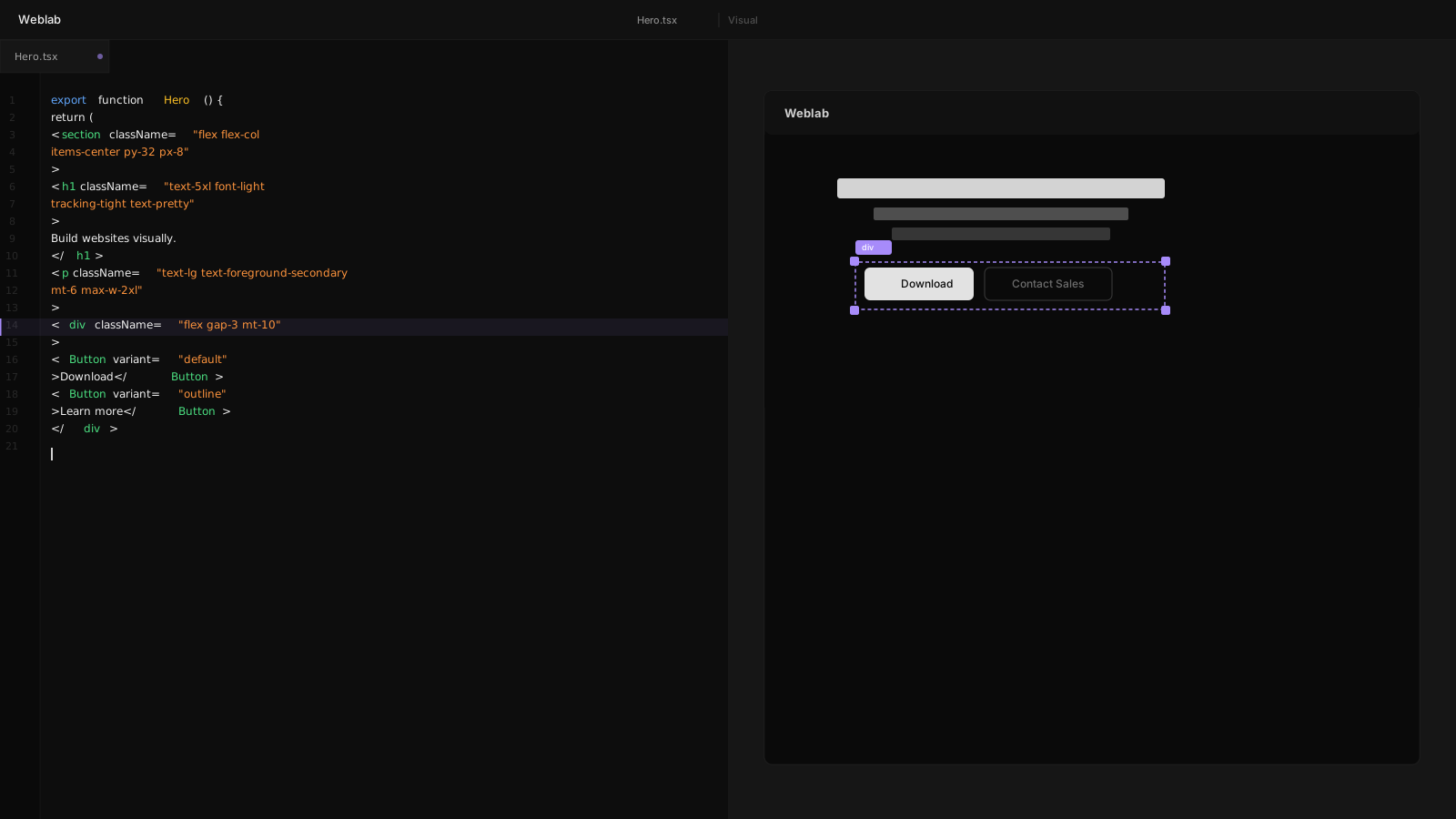
When a designer opens Weblab on a feature branch, they are looking at the live components. When they drag a button to a new position, the JSX changes. When the developer reviews the PR, the diff is clean and precise.
How Real-Time Sync Works
Weblab runs a file watcher on your project directory. Every visual operation — resizing, recoloring, restructuring — is immediately translated into a code change. The translation layer understands Tailwind, CSS Modules, and inline styles.
AST-Level Editing
Weblab does not rewrite your files from scratch. It uses an AST (abstract syntax tree) parser to locate the exact node being edited and apply the minimal change. Your formatting, your comments, and your surrounding code are untouched.
This means refactors and visual edits can coexist in the same branch without conflict.
Preserving Developer Intent
Some code patterns are intentional. Computed class names, conditional rendering, component composition — Weblab recognizes these patterns and does not flatten them. A conditional isLoading ? 'opacity-50' : '' stays a conditional; Weblab adjusts it rather than replacing it.
Constrained AI
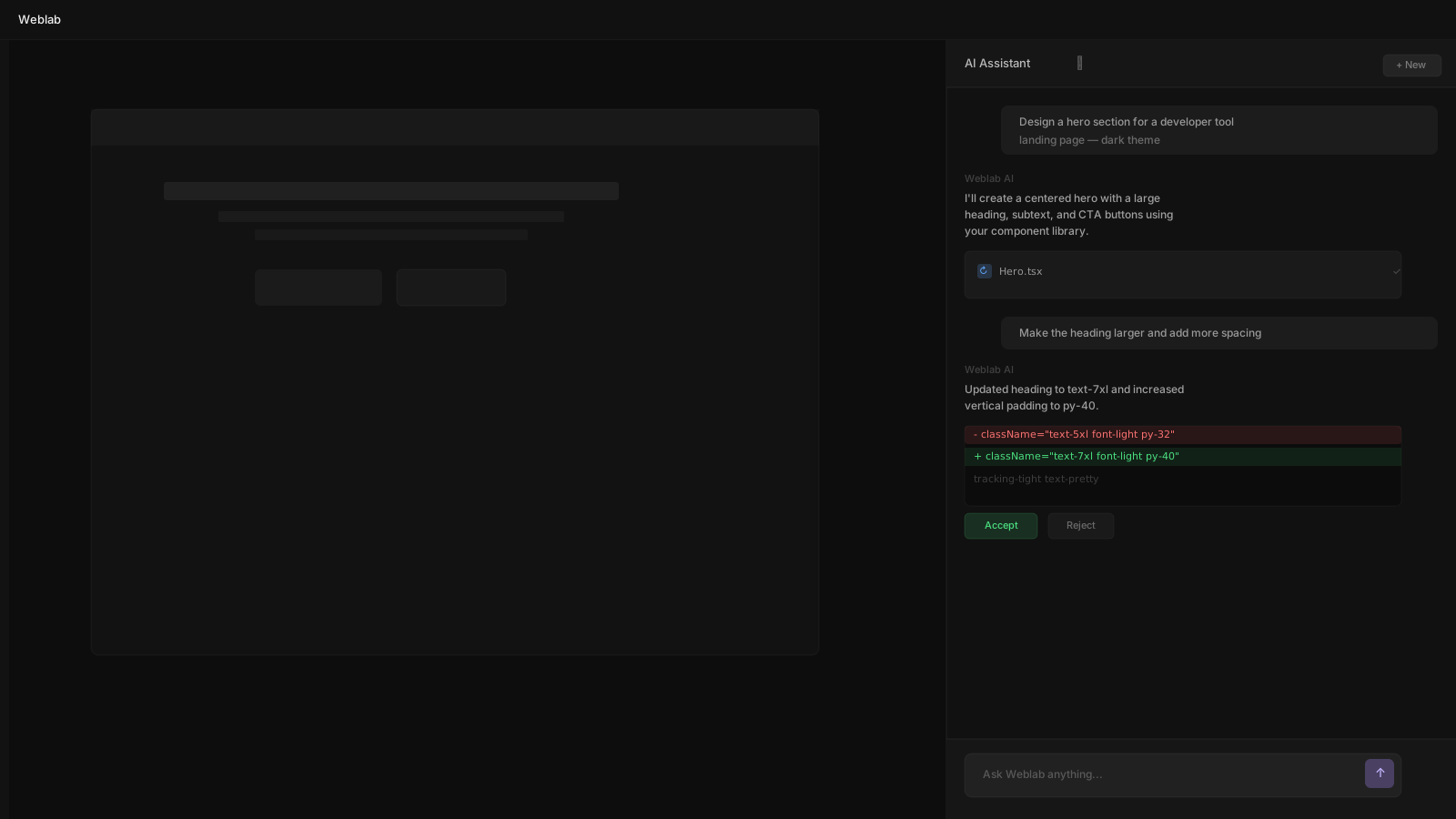
The AI layer in Weblab is perhaps its most important differentiator. Most AI coding tools have no awareness of your design system. They produce code that looks nothing like your product.
Learning Your Components
When you set up Weblab on a project, it indexes your component library. It reads your Tailwind config, your token definitions, your component exports. This index is what the AI draws on when generating new UI.
Ask Weblab to "add a pricing table" and it will respond with a table built from your actual <Card>, <Button>, and spacing tokens.
Staying On-Brand
Because the AI is constrained to your actual exports, brand drift becomes structurally impossible. The model cannot invent a new color or introduce a third-party component without your explicit override.
The Developer Experience
For developers, Weblab sits in the background and augments the workflow they already have. Run next dev, open Weblab, and the visual canvas appears alongside your terminal.
Git-Native Workflow
Every change from Weblab is a file change. Commit it, revert it, diff it — standard Git operations work exactly as expected. Weblab adds no proprietary layer to your version history.
Conclusion
The gap between design and code has persisted for decades because the tools on each side of the boundary had no common language. Weblab speaks both: it reads design intent visually and writes it in code. The handoff is not automated — it is eliminated.