
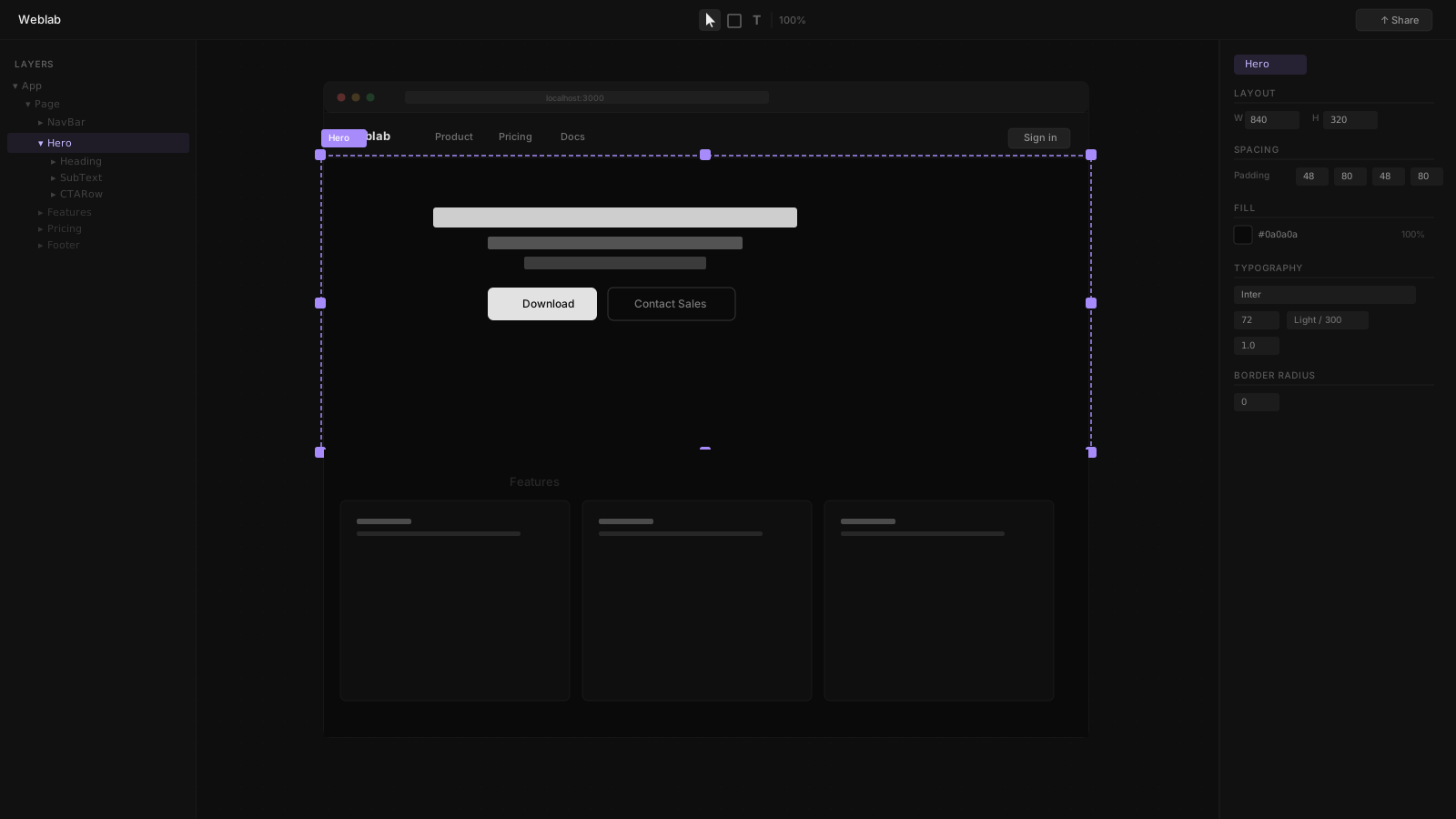
React is the dominant framework for production web applications, and the ecosystem of visual editing tools built around it has grown substantially in 2026. But not all visual editors are the same — some connect to your existing codebase, others generate new code in their own environment, and a few sit somewhere in between.
This guide focuses on tools that work with existing React codebases, not tools that generate new React code from scratch.
What Makes a Good React Visual Editor
Before comparing tools, it is worth defining what a good visual editor for React actually does:
- Reads your real components — not a simulated recreation
- Understands your design system — tokens, variants, spacing scale
- Writes back to your source files — not a proprietary export
- Integrates with your workflow — pull requests, code review, CI
- Accessible to designers — no terminal required for visual work
Most tools in the market satisfy some of these criteria. Very few satisfy all of them.
Weblab
Weblab is purpose-built for teams with existing React or Next.js codebases. Open your local project, and Weblab reads your components, Tailwind configuration, and design tokens. The infinite canvas shows your real application — not a simulation.
Every change you make on the canvas is written back to your source files in real time. When you are ready, the changes are published as a pull request to your GitHub repository. Designers can contribute UI changes without opening a terminal. Engineers see a normal PR diff and merge it.
Key capability: Design system enforcement. Weblab's AI can only use components and tokens that already exist in your codebase. If your design system has a <Button> with three variants, the AI uses those — it cannot invent a fourth. This prevents brand drift over time.
Open source. Weblab is open source under the Apache 2.0 license.
Best for: React / Next.js teams where design and engineering share a codebase, design system compliance is important, and visual changes need to go through PR review.
Plasmic
Plasmic is a visual CMS for React with deep framework integration (Next.js, Gatsby, Remix, Astro). Its model is different from Weblab: developers register their React components in Plasmic's CMS, and marketing or content teams use Plasmic's no-code editor to compose pages from those components.
Plasmic is excellent for teams that need marketing autonomy — content editors can update landing pages, pricing pages, and blog posts without developer involvement. But it introduces a Plasmic dependency into your data model: page content is stored in Plasmic's CMS, not in your repository.
Best for: Teams that want content editors to manage pages without developer involvement, using a no-code CMS backed by registered React components.
Builder.io
Builder.io is a visual headless CMS supporting React, Vue, Svelte, and Qwik. Like Plasmic, developers register components that content editors then compose visually. Builder.io is particularly strong at A/B testing and personalization for large content teams.
The drag-and-drop interface is polished, and the SDK supports server-side rendering across frameworks. The learning curve for initial component registration is moderate.
Best for: Enterprise content teams managing high volumes of visual pages across multiple frameworks, with A/B testing requirements.
Tempo
Tempo is a newer entrant that focuses specifically on React design detail — typography, spacing, color, and component variants. It imports components from Storybook and lets developers polish visual details in a dedicated editor. Less of a page builder, more of a design-detail tool.
Best for: Engineers who want to visually fine-tune their component designs without leaving the React workflow.
Puck
Puck is an open-source embeddable page builder for React. You install it in your application and build a custom page builder experience for your content team. Extremely flexible but requires engineering work to set up and maintain.
Best for: Teams that want to build a custom CMS/page builder experience, backed by their own React components.
Comparison
| Tool | Reads your components | Pull request output | Design system enforcement | Open source | AI editing |
|---|---|---|---|---|---|
| Weblab | Yes — connects to local project | Yes | Yes — AI constrained | Yes | Yes |
| Plasmic | Via SDK registration | No — Plasmic CMS | Via registered components | No | Limited |
| Builder.io | Via SDK registration | No — Builder CMS | Via registered components | No | Limited |
| Tempo | Via Storybook import | No | Design detail focus | No | No |
| Puck | Yes — embeddable | No — custom CMS | Via your setup | Yes | No |
The Design System Test
If design system compliance is a hard requirement — meaning AI suggestions must only use your existing Button, Card, and other design primitives — Weblab is currently the only tool with explicit enforcement built in. Other tools depend on designers and content editors using the registered components correctly, but do not prevent drift at the AI layer.
Recommendations by Team Type
Design-engineering team with a shared React codebase: Weblab. Designers get a canvas; engineers get a PR. The design system is protected at the AI layer.
Marketing team + engineering team, separate ownership: Plasmic or Builder.io. Content editors can work independently on pages without developer involvement, using the components engineers have registered.
Team that wants to self-host a page builder: Puck. Maximum control, requires engineering investment.
Individual engineer wanting visual component polish: Tempo for design detail, or Weblab for full visual editing workflow.
The Underlying Shift
The most significant shift in React visual editors in 2026 is the emergence of design-system-aware AI. Rather than AI that generates arbitrary new code, the best tools constrain their AI to what already exists in the codebase. This distinction matters most as codebases grow and design systems become more tightly maintained.
Weblab is built around this constraint as a first-class feature. The canvas, the AI, and the PR workflow are all designed around the assumption that your design system is an asset to be preserved, not overwritten.
Try Weblab with your React codebase → | See all comparisons →