
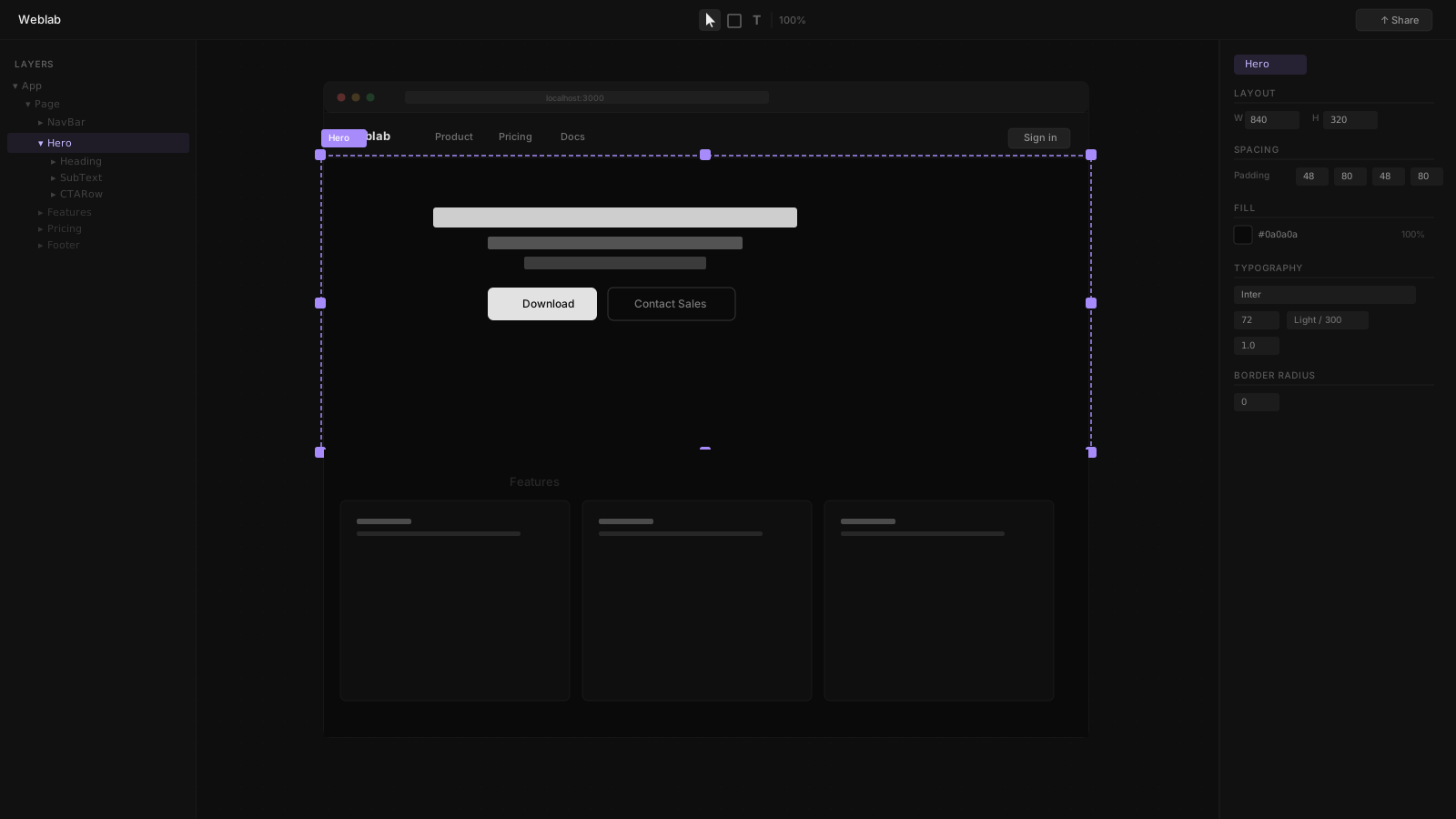
AI has fundamentally changed web design tooling. In 2026, almost every design and development tool has an AI layer — but the nature of that AI varies enormously. Some tools use AI to generate entire applications from prompts. Some use AI to generate new UI components. Some use AI to make targeted edits to existing code while staying inside the guardrails of a design system.
Understanding these differences matters more than evaluating AI capability in isolation. The best AI design tool for your team depends on what you are starting with and what constraints the AI needs to respect.
Category 1: AI Site Generators
These tools use AI to generate entire websites or applications from natural language prompts. The output is a new codebase or hosted application.
Lovable
Lovable is a chat-based AI app builder. Describe your application, and Lovable generates a new app that you iterate on through conversation. Best for rapid prototyping and net-new projects where speed from idea to running app is the priority.
Framer AI
Framer's AI Wireframer generates website layouts from text descriptions. The AI works within Framer's design system and outputs Framer-hosted pages. Best for designers building new marketing sites quickly.
Wix Harmony + Aria
Wix Harmony introduced Aria — an AI agent within the Wix editor that understands natural language instructions and makes changes directly in the Wix canvas. Best for non-technical users who want AI-assisted website editing without learning any tool deeply.
Emergent
Emergent's multi-agent system builds entire full-stack applications — frontend, backend, database, auth, payments — from a single prompt. Emergent claims ISO 27001 and SOC 2 certification. Aimed at non-technical founders who want production-grade applications without an engineering team.
Bolt
Bolt by StackBlitz builds full-stack applications in the browser from natural language prompts. The output runs in an in-browser IDE with live preview and can be exported as code. Best for developers who want to prototype a full-stack app quickly without leaving the browser.
Webflow
Webflow is a visual site editor where the canvas maps directly to CSS — flexbox, grid, and custom properties — without writing code. An AI layout assistant helps suggest and place components. The output is a Webflow-hosted site with an optional CMS. Best for designers building standalone marketing sites with precise CSS control.
Category 2: AI Component Generators
These tools use AI to generate individual components or UI snippets that you integrate into an existing project.
v0 by Vercel
v0 generates React components from text descriptions. The output is portable code — copy it into your project and adapt it. Best for engineers who want to scaffold UI components quickly without writing from scratch.
GitHub Copilot
Copilot's in-IDE suggestions are AI-driven and context-aware. Not a design tool per se, but for engineers who think of component authoring as design work, Copilot accelerates the code-writing step significantly.
Category 3: AI Editors for Existing Codebases
These tools use AI to make changes to your existing codebase, with varying degrees of design system awareness.
Weblab
Weblab is in a distinct position: it is an AI editor that is explicitly constrained to your design system. When you ask Weblab's AI to generate a new section, it uses your real Button, your real Card, your real typography tokens — not generic HTML. It cannot invent new components or styles. The output is a pull request to your GitHub repository using your existing file structure.
This constraint is Weblab's defining feature. It means:
- No brand drift from AI changes
- No new Tailwind classes that are not in your design system
- No new components that your engineers have not already defined
- Every AI change is reviewable as a normal PR
Best for: Design-engineering teams with an existing React codebase and a design system they need to protect.
Claude Code (Anthropic)
Claude Code operates in the terminal and edits files across your codebase from natural language instructions. It reads your full project for context, plans changes, runs tests, and iterates. It does not enforce design system constraints — the AI generates code that follows your conventions as best it can, but has no mechanism to prevent it from introducing new styles.
Best for: Engineers who want AI assistance with code logic, refactoring, and test writing. Complementary to Weblab for UI work.
Cursor
Cursor is a code editor built on top of VS Code with deep AI integration. It can edit across multiple files, apply refactors, and generate code from descriptions. Like Claude Code, it does not have design system enforcement — it knows your codebase from context, not from explicit constraints.
Best for: Engineers who want an AI-assisted coding environment with IDE familiarity.
The Design System Enforcement Gap
The single most important differentiator between AI design tools in 2026 is design system enforcement. Most AI tools generate code that looks correct but may:
- Introduce Tailwind classes not in your system
- Create new component variants without using existing ones
- Use hardcoded color values instead of your CSS variables
- Write inline styles rather than your defined patterns
Over time, this creates significant maintenance burden and visual inconsistency.
Weblab is the only tool in this list with explicit design system enforcement at the AI layer — the AI cannot make changes that violate the design system because it only knows about what exists in your codebase.
AI Tool Decision Matrix
| Tool | Category | Design System Enforcement | Output | Best For |
|---|---|---|---|---|
| Weblab | Existing codebase editor | Yes — strict | GitHub PR | React teams with design systems |
| Claude Code | Terminal code editor | No | Local file edits | Logic, refactoring, tests |
| Cursor | IDE replacement | No | Local file edits | Engineers, full-stack work |
| v0 | Component generator | No | Portable code snippets | Component scaffolding |
| Lovable | Site generator | No | Hosted app | Rapid prototyping |
| Framer AI | Site generator | Framer system only | Framer-hosted site | Marketing sites |
| Wix Harmony | Site editor | Wix system only | Wix-hosted site | Non-technical users |
| Emergent | Full-stack generator | No | Full-stack app + hosting | Non-technical founders |
| Bolt | Site generator | No | Browser-based full-stack app | Rapid prototyping, founders |
| Webflow | Site editor | Webflow system only | Webflow-hosted site | Designers, CMS-driven sites |
Recommendations
You have an existing React codebase and a design system: Weblab for visual UI editing. Claude Code or Cursor for logic and refactoring.
You are building from scratch without engineering resources: Emergent (full-stack, batteries included), Lovable (conversational, fast), or Bolt (browser-based).
You are a designer building a standalone site: Framer (motion + polish), Webflow (CSS control + CMS), or Wix (accessibility + AI).
You want AI-generated component snippets for your React project: v0 by Vercel.
The Emerging Pattern
The best teams in 2026 are combining AI tools rather than choosing one. Claude Code or Cursor for engineering work. Weblab for visual UI editing. The result is a clear division of labor: AI handles code logic in the terminal and AI handles visual design on the canvas, with both outputs flowing through the same PR review process.
The design-system-aware layer in the middle — Weblab — is what prevents the AI tools from pulling the product in different visual directions.
Try Weblab for design-system-aware AI editing → | Compare tools →